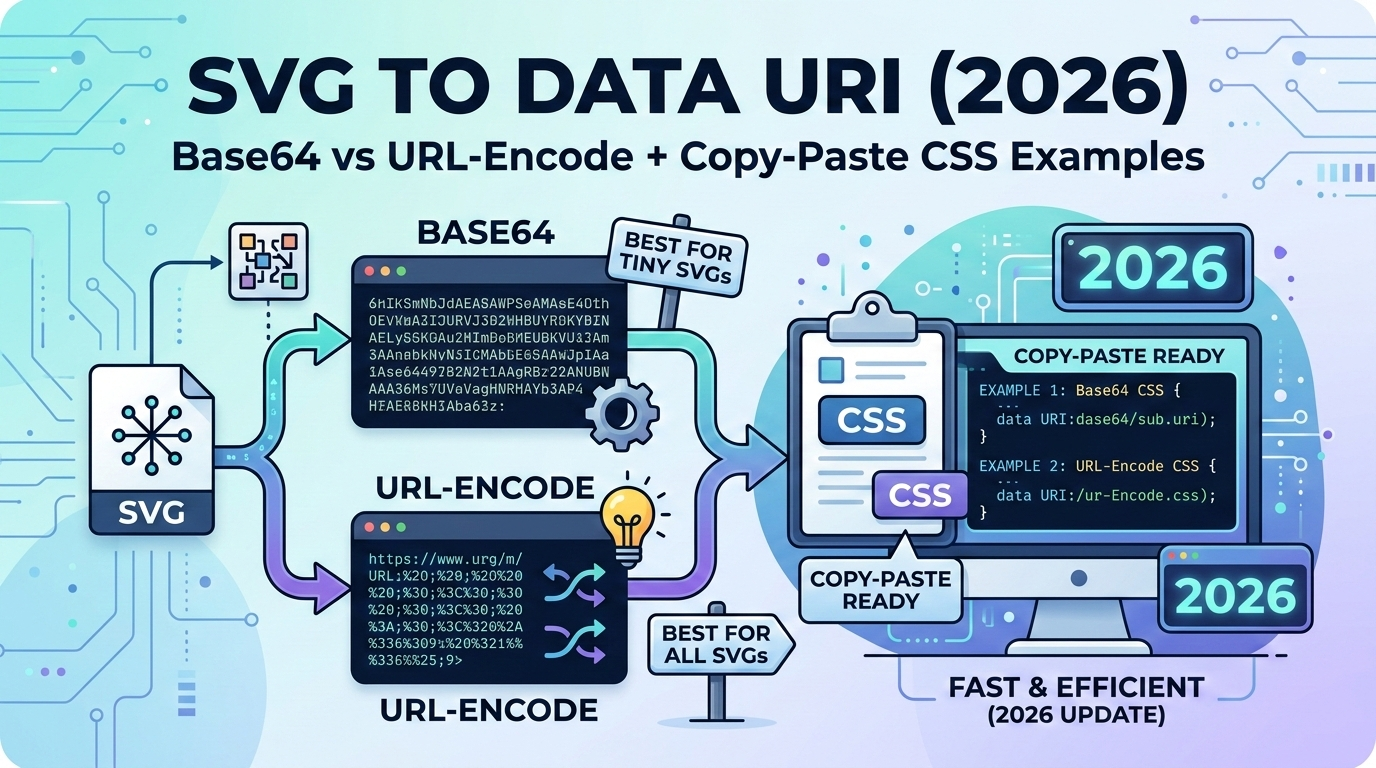
Embedding SVG icons as Data URIs eliminates HTTP requests and improves performance. In 2026, understanding the difference between Base64 and URL-encoding is crucial for optimal file size and browser compatibility.
What is an SVG Data URI?
A Data URI allows you to embed an SVG image directly into your CSS or HTML without requiring a separate file. Instead of linking to an external file with <img src="icon.svg">, you encode the entire SVG as a string.
Benefits of SVG Data URIs:
- Zero HTTP requests: Faster initial page load
- Single file deployment: No missing icon files
- Critical CSS inlining: Icons load instantly
- Cache with stylesheet: Better caching strategy
Base64 vs URL-Encoding: The Critical Difference
There are two ways to convert SVG to Data URI, and the choice significantly impacts file size:
Method 1: Base64 Encoding (Common but Inefficient)
Base64 converts SVG to a binary-safe string using 64 characters (A-Z, a-z, 0-9, +, /).
/* Base64 encoded SVG - LARGER file size */
.icon {
  background-image: url('data:image/svg+xml;base64,PHN2ZyB4bWxucz0iaHR0cDovL3d3dy53My5vcmcvMjAwMC9zdmciIHdpZHRoPSIyNCIgaGVpZ2h0PSIyNCI+PHBhdGggZD0iTTEyIDJDNi40OCAyIDIgNi40OCAyIDEyczQuNDggMTAgMTAgMTAgMTAtNC40OCAxMC0xMFMxNy41MiAyIDEyIDJ6bTAgMThjLTQuNDEgMC04LTMuNTktOC04czMuNTktOCA4LTggOCAzLjU5IDggOC0zLjU5IDgtOCA4eiIvPjwvc3ZnPg==')
}
Drawback: Base64 increases file size by ~37% compared to the original SVG.
Method 2: URL-Encoding (Recommended for SVG)
URL-encoding escapes special characters while keeping the SVG human-readable:
/* URL-encoded SVG - SMALLER and readable */
.icon {
  background-image: url('data:image/svg+xml,%3Csvg xmlns="http://www.w3.org/2000/svg" width="24" height="24"%3E%3Cpath d="M12 2C6.48 2 2 6.48 2 12s4.48 10 10 10 10-4.48 10-10S17.52 2 12 2zm0 18c-4.41 0-8-3.59-8-8s3.59-8 8-8 8 3.59 8 8-3.59 8-8 8z"/%3E%3C/svg%3E')
}
Advantages:
- Only ~10-15% larger than original SVG
- Human-readable and debuggable
- Better gzip compression
- Works in all modern browsers
File Size Comparison
Here's a real-world comparison with a typical 24×24 icon:
| Method | File Size | Increase | Recommended |
|---|---|---|---|
| Original SVG file | 200 bytes | — | Baseline |
| URL-encoded Data URI | 230 bytes | +15% | ✅ Best choice |
| Base64 Data URI | 274 bytes | +37% | ❌ Avoid for SVG |
Ready-to-Use CSS Examples
Checkmark Icon (URL-encoded)
.success-icon {
  width: 20px;
  height: 20px;
  background-image: url('data:image/svg+xml,%3Csvg xmlns="http://www.w3.org/2000/svg" viewBox="0 0 20 20" fill="green"%3E%3Cpath d="M0 11l2-2 5 5L18 3l2 2L7 18z"/%3E%3C/svg%3E');
  background-size: contain;
}
Arrow Icon with Variables (Recolorable)
.arrow-icon {
  --icon-color: %2310b981; /* URL-encoded color */
  background-image: url('data:image/svg+xml,%3Csvg xmlns="http://www.w3.org/2000/svg" viewBox="0 0 20 20" fill="var(--icon-color)"%3E%3Cpath d="M10 3l7 7-7 7-1.5-1.5L13 11H3V9h10l-4.5-4.5z"/%3E%3C/svg%3E');
}
When to Use Each Method
Use URL-Encoding For:
- SVG icons and graphics (best compression)
- Critical CSS (smaller stylesheet size)
- Inline background images
- Development (easier to debug and read)
Use Base64 For:
- Binary images (PNG, JPG, GIF, WebP)
- Legacy browser support (IE8 and below)
- When URL-encoding is not supported
Common Mistakes to Avoid
1. Using Quotes Incorrectly
❌ Wrong: Unescaped quotes break CSS
background-image: url("data:image/svg+xml,");
/* The quotes inside the SVG break the CSS */
✅ Correct: Use single quotes or escape properly
background-image: url('data:image/svg+xml,%3Csvg xmlns="http://..."%3E%3C/svg%3E');2. Forgetting the MIME Type
Always include data:image/svg+xml before the encoded content.
3. Not Optimizing the SVG First
Before encoding, remove unnecessary attributes:
- Remove
xml:space,id,classattributes - Simplify paths with tools like SVGO
- Remove comments and whitespace
Browser Compatibility in 2026
URL-encoded SVG Data URIs work in:
- ✅ Chrome 4+ (2010)
- ✅ Firefox 3.6+ (2010)
- ✅ Safari 5+ (2010)
- ✅ Edge (all versions)
- ✅ Opera 10+ (2009)
By 2026, URL-encoded Data URIs have essentially 100% browser support.
Converting SVG to Data URI: Step-by-Step
Manual Method (URL-encoding)
- Start with optimized SVG:
<svg xmlns="http://www.w3.org/2000/svg" viewBox="0 0 24 24"><path d="M12 2L2 7v10l10 5 10-5V7z"/></svg> - Escape special characters:
Replace:<→%3C,>→%3E,#→%23,"→ keep or use' - Add Data URI prefix:
data:image/svg+xml, - Use in CSS:
background-image: url('data:image/svg+xml,%3Csvg...');
Tools and Converters
Use our SVG to Base64 Converter or SVG to PNG Converter for quick conversions.
Recommended online tools:
- SVGO: Optimize SVG before encoding
- URL Encoder: Convert SVG to URL-safe string
- Our converter: One-click SVG to Data URI with both methods
Performance Considerations
When Data URIs Hurt Performance:
- Large images: Data URIs can't be lazy-loaded
- Repeated use: Same icon multiple times = duplicated data
- Blocking CSS: Large Data URIs delay stylesheet parsing
Best Practices:
- Only inline small, critical icons (<5KB)
- Use SVG sprites for repeated icons
- Consider icon fonts for large icon sets
- Test with real-world performance metrics
FAQ: SVG to Data URI
Why is my SVG Data URI not displaying?
Common issues: unescaped quotes, missing MIME type (data:image/svg+xml), or special characters not properly encoded. Verify your encoding and check browser console for errors.
Can I use Data URIs in HTML img tags?
Yes! Example: <img src="data:image/svg+xml,%3Csvg...">. Works in all modern browsers.
Should I use Base64 or URL-encoding for SVG?
Always use URL-encoding for SVG—it's 20-30% smaller than Base64 and remains human-readable.
How do I change colors in SVG Data URIs?
Use CSS custom properties (variables) in your SVG: fill="var(--icon-color)", then define --icon-color in your CSS.
What's the maximum size for Data URIs?
Technically unlimited in modern browsers, but keep under 10KB for performance. IE11 had a 32KB limit (now irrelevant in 2026).
Conclusion
SVG Data URIs are a powerful technique for embedding critical icons and graphics directly in your CSS. By choosing URL-encoding over Base64, you save 20-30% file size while maintaining readability. Use Data URIs for small, critical assets that need to load immediately, and always optimize your SVG before encoding. For icon systems with many icons, consider SVG sprites or icon fonts instead of individual Data URIs to avoid code duplication.
Related Articles
- Base64 to PNG (2026): Decode Data URI and Download Clean PNG - Learn the reverse process of decoding Base64 encoded images
- WebP/AVIF Not Opening? Fix Compatibility Issues - Modern image format compatibility and optimization
- File Conversion Speed Optimization Techniques - Practical performance improvements for conversion workflows
- SVG Vector Graphics Conversion Guide - Learn vector optimization and SVG conversion best practices