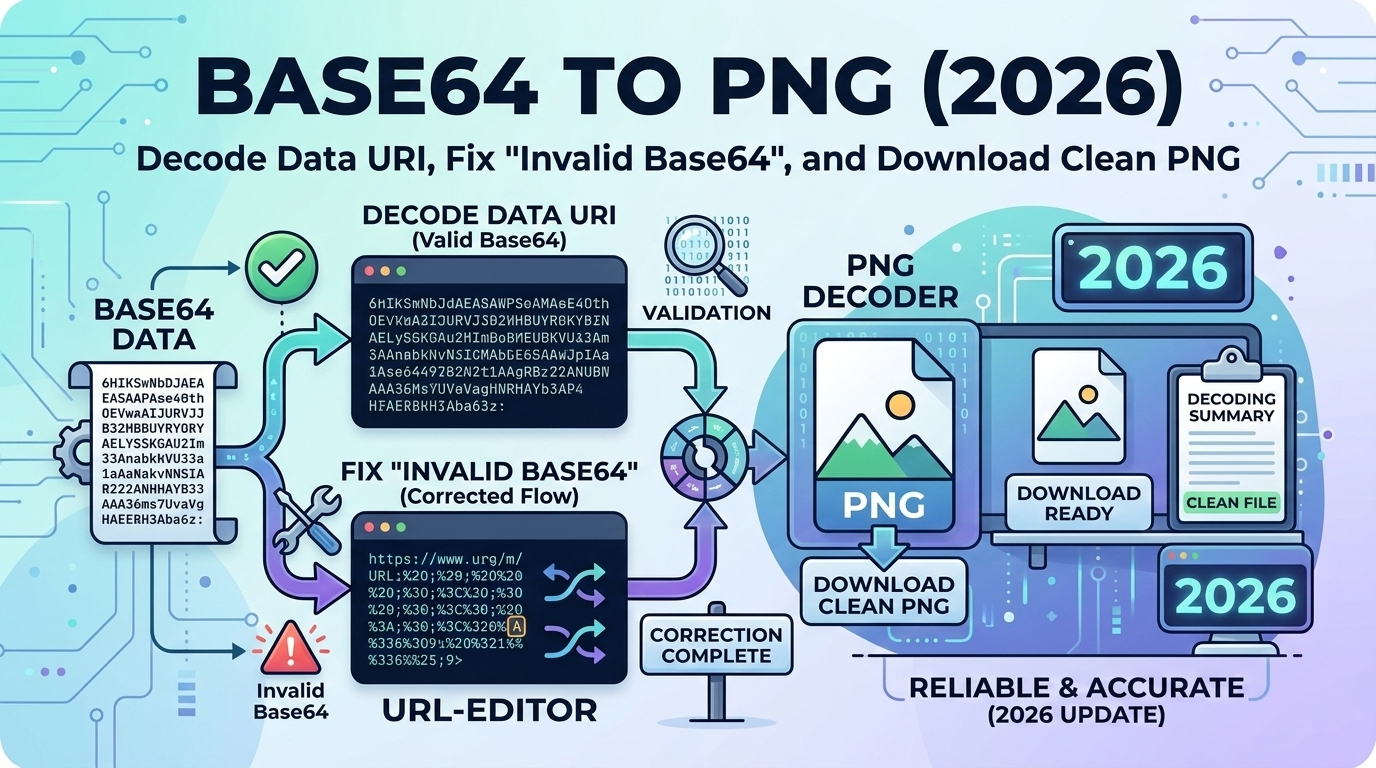
Base64-encoded images are everywhere in modern web development. Whether extracting images from HTML emails, debugging Data URIs, or downloading embedded graphics, knowing how to convert Base64 to PNG is an essential skill in 2026.
What is Base64 Image Encoding?
Base64 encoding converts binary image data (like PNG or JPG) into ASCII text using 64 characters (A-Z, a-z, 0-9, +, /). This allows images to be embedded directly in HTML, CSS, or JSON.
Common use cases:
- HTML Emails: Embedded images that always display
- Data URIs: Inline images in stylesheets
- APIs: Image data in JSON responses
- Canvas Export: JavaScript image generation
Anatomy of a Base64 PNG Data URI
A complete Base64 Data URI has three parts:
data:image/png;base64,iVBORw0KGgoAAAANSUhEUgAAAAUA...
└─┬─┘ └──┬───┘ └──┬──┘ └────────────┬────────────┘
  │      │        │                  │
Scheme MIME Encoding Actual Data- Scheme:
data:indicates a Data URI - MIME type:
image/pngspecifies the format - Encoding:
base64tells how to decode - Data: The actual Base64 string
How to Convert Base64 to PNG: 3 Methods
Method 1: Online Converter (Fastest)
Use our Base64 to PNG Converter:
- Paste your entire Base64 string (with or without Data URI prefix)
- Click "Convert"
- Download the clean PNG file
Benefits: Instant, no installation, works on any device.
Method 2: JavaScript (Browser Console)
Decode and download directly in your browser:
// Paste this in browser console
const base64 = 'iVBORw0KGgoAAAANSUhEUgAAAAUA...'; // Your data
const link = document.createElement('a');
link.href = 'data:image/png;base64,' + base64;
link.download = 'image.png';
link.click();
Method 3: Command Line (Node.js)
// save as decode.js
const fs = require('fs');
const base64 = 'iVBORw0KGgoAAAANSUhEUgAAAAUA...';
const buffer = Buffer.from(base64, 'base64');
fs.writeFileSync('output.png', buffer);

// Run: node decode.js
Fixing "Invalid Base64" Errors
Base64 decoding fails for several common reasons. Here's how to fix each:
Error 1: Data URI Prefix Not Removed
❌ Wrong: Including the full Data URI
data:image/png;base64,iVBORw0KGgoAAAANSUhEUgAAAAUA...✅ Correct: Extract only the Base64 portion
iVBORw0KGgoAAAANSUhEUgAAAAUA...Most converters handle this automatically, but manual tools require just the encoded data.
Error 2: Invalid Characters
Base64 only allows: A-Z, a-z, 0-9, +, /, and = (padding).
Common invalid characters:
- Spaces or line breaks (remove all whitespace)
- HTML entities like
<(unescape first) - Special characters from copy-paste errors
Fix: Strip all non-Base64 characters:
const cleaned = base64String.replace(/[^A-Za-z0-9+/=]/g, '');Error 3: Incorrect Padding
Base64 strings must have length divisible by 4. Padding (=) makes this true.
❌ Wrong: iVBORw0KGgo (10 chars)
✅ Correct: iVBORw0KGgo= (12 chars, divisible by 4)
Auto-fix padding:
const padded = base64String + '='.repeat((4 - base64String.length % 4) % 4);Error 4: Wrong Encoding (UTF-8 vs Base64)
If the string looks like random text (not Base64 pattern), it might be URL-encoded or doubly-encoded.
Check the pattern:
- Base64: Starts with
iVBORw0KGgo(PNG signature) - Base64 JPEG: Starts with
/9j/ - Base64 GIF: Starts with
R0lGOD
Extracting Base64 Images from HTML/CSS
From HTML <img> Tag
<img src="data:image/png;base64,iVBORw0KGgoAAAANS..." />
              └────────────────────────────────────┬──────────────────┘
                                        Extract this entire string
From CSS Background
.icon {
  background-image: url('data:image/png;base64,iVBORw0KGgoAAAA...');
                         └──────────────────┬───────────────────────┘
                                      Extract between quotes
}
From Browser DevTools
- Open DevTools (F12)
- Go to Elements tab
- Find the
<img>or CSS rule - Right-click the Data URI → Copy
- Paste into our Base64 to PNG Converter
PNG Transparency and Base64
PNG supports full alpha transparency, which is preserved through Base64 encoding:
| Feature | PNG | JPEG | GIF |
|---|---|---|---|
| Transparency | ✅ Full alpha (256 levels) | ❌ None | ⚠️ Binary (on/off) |
| Base64 Signature | iVBORw0KGgo |
/9j/ |
R0lGOD |
| Best for | Icons, logos, UI | Photos | Simple animations |
When converting Base64 to PNG, transparency is automatically preserved.
File Size: Base64 vs Original PNG
Base64 encoding increases file size by approximately 33%:
- Original PNG: 1000 bytes
- Base64 encoded: ~1333 bytes (+33%)
- Gzipped CSS: ~800 bytes (compression helps)
Why the increase? Base64 uses 6 bits per character, but 8 bits per byte, resulting in overhead.
Common Use Cases
1. Extracting Email Images
HTML emails often embed images as Base64. To save them:
- View email source (usually ⌘U or Ctrl+U)
- Search for
data:image/png;base64 - Copy the full Data URI
- Use our converter to extract PNG
2. Debugging Canvas Output
JavaScript canvas exports to Base64:
const canvas = document.querySelector('canvas');
const base64 = canvas.toDataURL('image/png'); // Returns Data URI
// Convert to file using our tool
3. API Response Images
APIs sometimes return images as Base64 JSON:
{
  "image": "iVBORw0KGgoAAAANSUhEUgAAAAUA...",
  "format": "png"
}
Browser Compatibility
Base64 PNG Data URIs work in:
- ✅ All modern browsers (2026: 100% support)
- ✅ Chrome, Firefox, Safari, Edge (all versions)
- ✅ Mobile browsers (iOS Safari, Chrome Mobile)
- ✅ Email clients (most, including Gmail)
IE8-10 had a 32KB limit, but that's irrelevant in 2026.
Security Considerations
Be Careful With Untrusted Base64
- Malicious images: Can exploit browser vulnerabilities
- Embedded scripts: SVG can contain JavaScript
- Size attacks: Extremely large Base64 can crash browsers
Best Practices:
- Validate the MIME type before decoding
- Set file size limits (e.g., reject >10MB Base64)
- Sanitize SVG if accepting user uploads
- Use Content Security Policy (CSP) headers
FAQ: Base64 to PNG Conversion
Why does my Base64 image not decode?
Check for: (1) Data URI prefix still attached, (2) invalid characters (spaces, line breaks), (3) incorrect padding, or (4) wrong encoding. Use our converter—it handles all these issues automatically.
Can I convert Base64 to PNG in Photoshop?
Not directly. First decode to PNG using our tool, then open in Photoshop. Or paste Data URI into a browser, right-click, and "Save Image As".
How do I convert multiple Base64 images at once?
Use our batch converter or write a script. For JavaScript: loop through an array of Base64 strings and convert each using atob() and Blob.
Will converting Base64 to PNG lose quality?
No. Base64 is lossless encoding—the decoded PNG is bit-for-bit identical to the original, including full transparency.
What's the maximum Base64 string length I can convert?
No practical limit in modern browsers. Our converter handles Base64 strings up to 50MB (equivalent to ~37MB PNG).
Related Conversions
Need different formats? Try these:
- PNG to Base64 — Encode PNG images
- Base64 to JPG — For JPEG Data URIs
- SVG to Base64 — Vector graphics
- WebP to PNG — Modern formats
Conclusion
Converting Base64 to PNG is straightforward once you understand the Data URI format and common error sources. Always remove the Data URI prefix, ensure valid Base64 characters, and check padding. Use our Base64 to PNG Converter for instant, error-free conversion with full transparency preservation. Whether extracting email images, debugging canvas output, or processing API responses, proper Base64 decoding is an essential web development skill.
Related Articles
- SVG to Data URI (2026): Base64 vs URL-Encode Methods - Learn how to encode SVG images as Data URIs
- SQL to JSON (2026): Convert Database Data to REST API Format - Another essential data conversion technique
- WebP/AVIF Not Opening? Fix Compatibility - Handle modern image format conversions