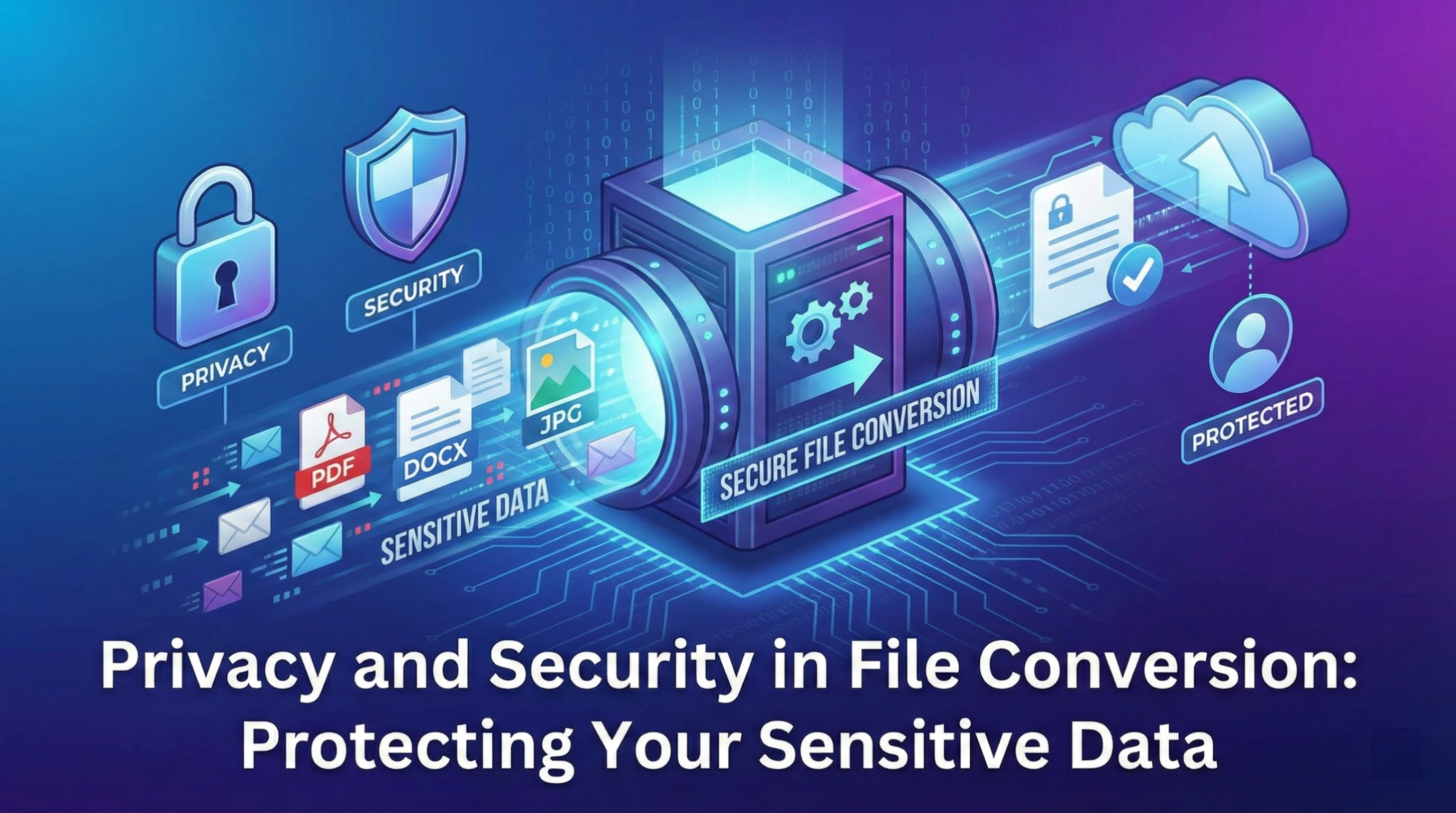
The Importance of Secure File Conversion
File conversions often involve sensitive documents containing personal information, financial data, confidential business documents, or private photographs. Understanding security implications and choosing appropriate conversion methods is essential for protecting your data.
Client-Side vs Server-Side Processing
Server-Side Conversion Risks
Traditional conversion services upload files to servers:
Security Concerns:
- Data transmission: Files sent over internet
- Server storage: Temporary or permanent file retention
- Access logs: Metadata about your uploads
- Third-party access: Potential employee or hacker access
- Data breaches: Server compromise exposes all files
- Jurisdiction: Data subject to foreign laws
When Server-Side Is Acceptable:
- Non-sensitive documents
- Large files requiring server resources
- Complex conversions needing specialized software
- Trusted, encrypted services with privacy guarantees
Client-Side Conversion Benefits
Processing files in your browser provides maximum security:
Security Advantages:
- Zero transmission: Files never leave your device
- No server storage: No copies retained anywhere
- Complete privacy: Only you see the file
- No logs: No record of what you converted
- Offline capability: Works without internet
- No account required: Complete anonymity
Limitations:
- Device performance dependent
- Limited to formats supported by browser
- Large files may be slow
- Some complex conversions not possible
HTTPS and Encryption
Transport Layer Security
If server-side conversion is necessary:
Essential Requirements:
- HTTPS only: Encrypted transmission required
- TLS 1.3: Latest protocol version
- Valid certificates: No security warnings
- HSTS enabled: Force HTTPS connections
- No mixed content: All resources over HTTPS
End-to-End Encryption
Maximum protection for server-side services:
- Client-side encryption: Encrypt before upload
- Zero-knowledge architecture: Server can't decrypt
- Encrypted storage: Files encrypted at rest
- Secure deletion: Cryptographic erasure
Metadata Privacy
What Metadata Reveals
Files contain hidden information beyond visible content:
Image Metadata (EXIF):
- GPS coordinates: Exact photo location
- Device information: Camera/phone model
- Timestamp: When photo was taken
- Author/owner: Photographer name
- Software: Editing applications used
Document Metadata:
- Author name: Document creator
- Organization: Company name
- Edit history: Revision tracking
- Comments: Hidden review comments
- Template info: Document origin
PDF Metadata:
- Creation software: PDF generator
- Modification dates: Edit timeline
- Title/subject: Document descriptions
- Keywords: Searchable tags
Metadata Stripping
Remove sensitive metadata during conversion:
Best Practices:
- Default stripping: Remove all metadata by default
- Selective preservation: Keep only essential data
- User control: Option to keep metadata if desired
- Verification: Confirm metadata removal
Essential Metadata to Remove:
- GPS location data
- Personal names and contacts
- Device identifiers
- Organization information
- Edit history and comments
Data Retention Policies
No-Log Policies
Secure services should not retain:
- File content: Delete immediately after conversion
- File names: No record of what was converted
- IP addresses: No tracking of users
- Timestamps: No conversion history
- File metadata: No extracted information stored
Temporary File Handling
For server-based conversions:
- RAM-only processing: Never write to disk
- Immediate deletion: Delete within seconds
- Secure deletion: Overwrite before deleting
- Isolated processing: Separate environments
- No backups: Exclude temporary files from backups
Compliance and Regulations
GDPR (European Union)
- Data minimization: Process only necessary data
- Right to deletion: Cannot retain user files
- Consent requirements: Clear privacy notices
- Data protection: Appropriate security measures
- Breach notification: Must report security incidents
CCPA (California)
- Transparency: Disclose data collection practices
- Opt-out rights: Allow users to refuse data sale
- Access rights: Users can request their data
- Deletion rights: Delete data on request
HIPAA (Healthcare - US)
- Protected Health Information: Special handling required
- Business Associate Agreements: Formal contracts needed
- Audit trails: Log all access to medical data
- Encryption: Required for transmission and storage
Safe File Upload Practices
Before Uploading
Precautions when using server-based services:
- Check for HTTPS: Verify padlock icon
- Read privacy policy: Understand data handling
- Review permissions: What service can access
- Test with non-sensitive file: Verify service works
- Consider alternatives: Client-side options first
During Upload
- Secure connection: Verify HTTPS throughout
- File size limits: Stay within reasonable sizes
- No personal info in filename: Use generic names
- Private/incognito mode: Prevent local caching
After Conversion
- Download immediately: Don't leave files on server
- Verify result file: Check quality and correctness
- Clear browser cache: Remove download history
- Request deletion: If service offers explicit deletion
Password Protection
PDF Password Protection
Secure PDFs with passwords:
Two Protection Types:
- User password: Required to open document
- Owner password: Controls editing, printing, copying
Password Best Practices:
- Strong passwords: 12+ characters, mixed types
- Unique passwords: Different for each document
- Secure sharing: Send password separately
- Encryption strength: Use 256-bit AES
Limitations
Password protection isn't perfect:
- Passwords can be brute-forced given enough time
- Sharing password via email exposes it
- No protection against screenshots/photos of opened document
- Some PDF tools can remove password protection
Watermark Removal Risks
Copyright Considerations
Removing watermarks may violate:
- Copyright law: Protecting creator rights
- Terms of service: Agreement violations
- Digital Millennium Copyright Act: US law
- Creator's rights: Ethical considerations
Legitimate Watermark Removal
- Your own watermarks on your content
- Testing watermarks on purchased stock photos
- Removing old watermarks to replace with new ones
- Images you have legal rights to modify
Virus and Malware Risks
Infected File Detection
Be cautious with files from unknown sources:
Warning Signs:
- Unexpected file extensions: .exe, .scr, .bat in documents
- Double extensions: photo.jpg.exe
- Macro warnings: Office documents with macros
- Suspicious file sizes: Unusually large or small
Protection Measures:
- Antivirus scanning: Scan before conversion
- Sandboxed conversion: Isolated environment
- Format stripping: Remove executable content
- Client-side processing: Limits damage potential
Cloud Storage Security
Save to Cloud Safely
When using cloud storage with conversions:
- End-to-end encryption: Use encrypted cloud services
- Zero-knowledge providers: Service can't access your files
- Two-factor authentication: Protect account access
- Encryption at rest: Files encrypted in storage
- Access controls: Limit sharing and permissions
Popular Secure Options
- Tresorit: End-to-end encrypted cloud storage
- ProtonDrive: Zero-knowledge encryption
- Sync.com: Zero-knowledge architecture
- Encrypted folders: Use Cryptomator for any cloud
Mobile Device Security
Mobile Conversion Risks
Additional considerations on phones/tablets:
- Public WiFi: Unencrypted network exposure
- App permissions: Over-privileged conversion apps
- Cloud auto-upload: Automatic backups of converted files
- Screen recording: Malicious apps capturing screen
Mobile Best Practices
- Use cellular data: More secure than public WiFi
- VPN: Encrypt all network traffic
- Review app permissions: Deny unnecessary access
- Disable auto-backup: For sensitive conversions
- Use browser-based tools: Instead of apps when possible
Network Security
Public WiFi Dangers
Risks of converting files on public networks:
- Man-in-the-middle attacks: Intercepted traffic
- Unencrypted connections: Data visible to network operators
- Malicious hotspots: Fake WiFi networks
- Session hijacking: Stolen authentication
Protection Strategies
- VPN: Encrypt all traffic
- HTTPS requirement: Never use HTTP on public WiFi
- Cellular data: Use mobile connection instead
- Firewall: Block incoming connections
- Disable sharing: Turn off file sharing on WiFi
Organizational Security
Business File Conversion
Additional requirements for companies:
Policy Requirements:
- Approved tools only: Vetted conversion services
- Data classification: Know what's confidential
- Employee training: Security awareness
- Audit trails: Log file conversions
- Incident response: Plan for breaches
Enterprise Solutions:
- On-premise conversion: Keep data in-house
- Private cloud: Dedicated infrastructure
- DLP tools: Data Loss Prevention systems
- Encrypted endpoints: Full disk encryption
Verifying Service Security
Due Diligence Checklist
Questions to ask before using a conversion service:
- Processing location: Client-side or server-side?
- Privacy policy: Clear retention policies?
- Data encryption: How is data protected?
- File deletion: When are files deleted?
- Third-party sharing: Who else accesses data?
- Security certifications: ISO 27001, SOC 2?
- Breach history: Any past incidents?
- Open source: Can you verify the code?
Red Flags
Warning signs of insecure services:
- No privacy policy or vague terms
- HTTP instead of HTTPS
- Requires account for basic conversion
- Excessive permissions requested
- No clear data retention policy
- Free service with no revenue model (your data is the product)
Best Practices Summary
For Maximum Security:
- Use client-side tools whenever possible
- Verify HTTPS on all server-based services
- Strip metadata from files containing location or personal info
- Avoid public WiFi for sensitive conversions
- Use strong passwords for protected documents
- Scan files for viruses before and after conversion
- Clear browser cache after conversions
- Read privacy policies before using services
- Enable 2FA on any accounts used
- Keep software updated for security patches
Conclusion
File conversion security requires awareness of risks and deliberate choice of appropriate tools. Client-side processing offers the highest level of privacy by ensuring files never leave your device. When server-side conversion is necessary, verify the service uses encryption, has clear privacy policies, and deletes files immediately after processing. Understanding metadata privacy, using secure networks, and following best practices ensures your sensitive documents remain confidential throughout the conversion process. Remember: the most secure conversion is one where your file never leaves your control.